
Know the route. Log the work. Move on.
Technicians see the stops assigned to them and record the visit in a consistent way — readings, dosages, actions, notes, and photos.
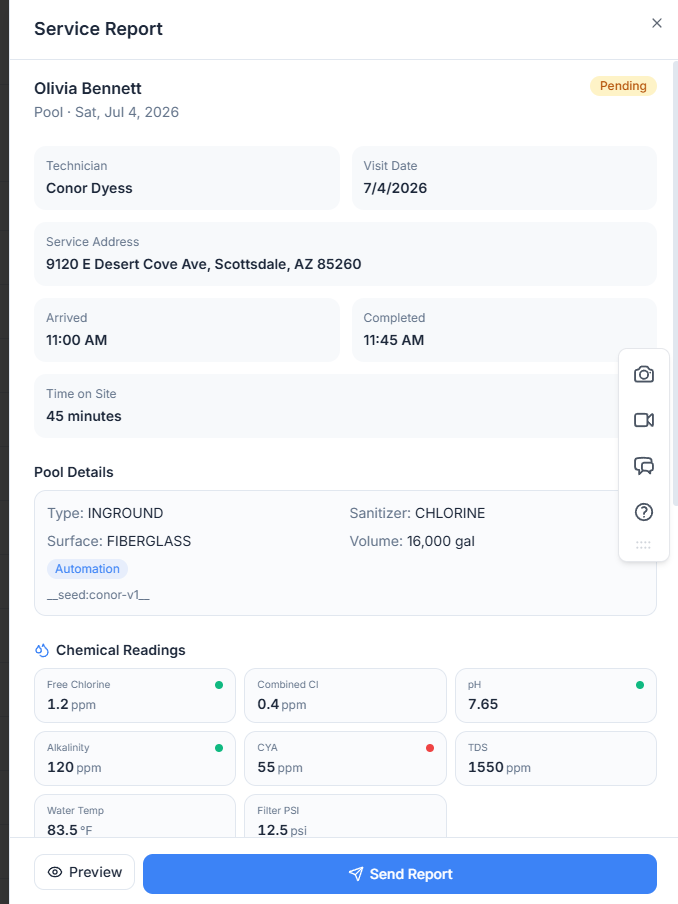
No paperwork pile at the end of the week
The record is created as the work happens, so nobody has to reconstruct the week from memory on Friday afternoon.
- Assigned stops for the day
- Arrival, completion, or a skipped stop with a reason
- Readings, dosages, and actions
- Notes and photos
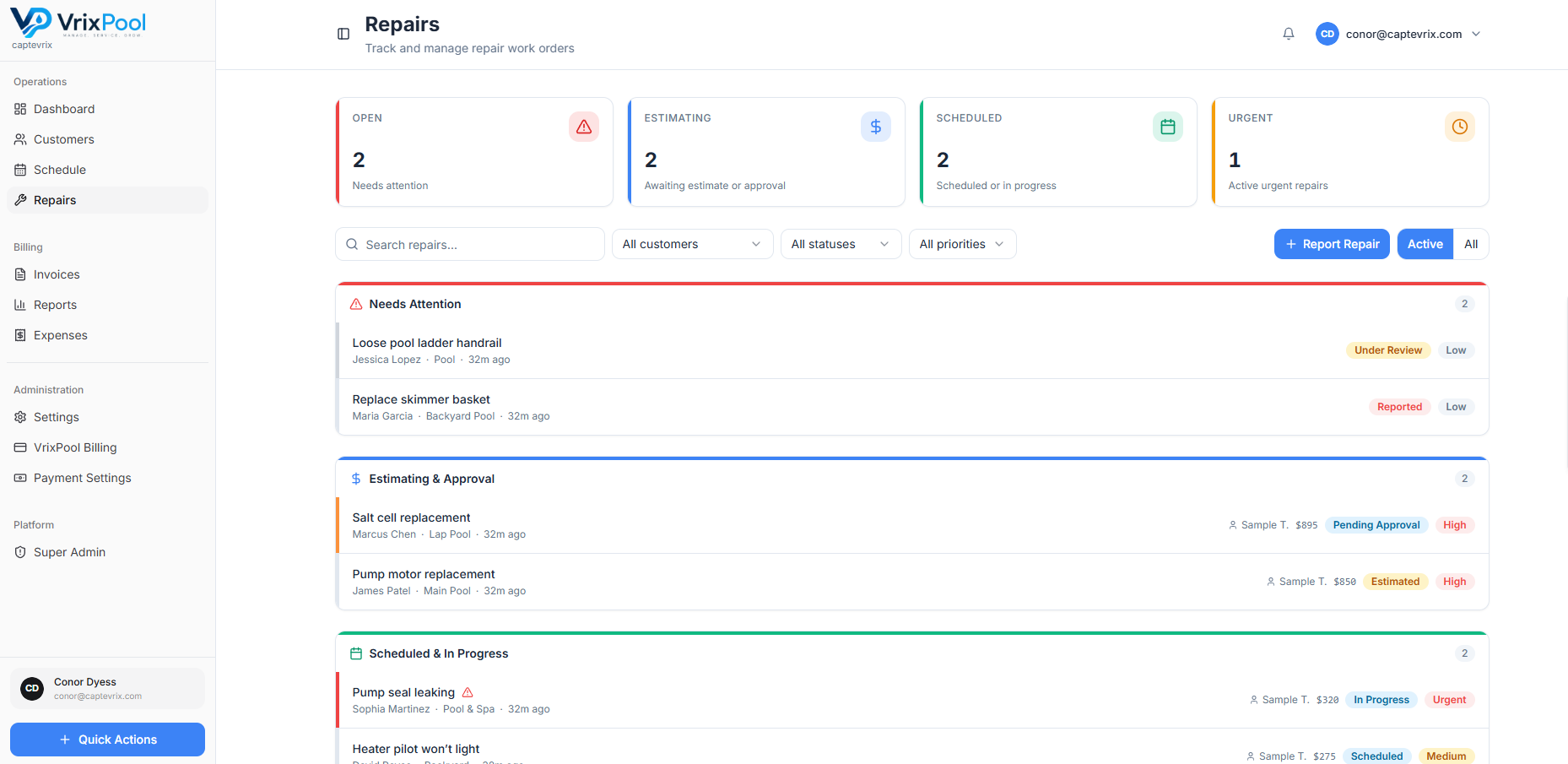
Report a repair without a phone tag loop
Found a bad pump? Log it as a repair with photos and notes and let the office take it from there.
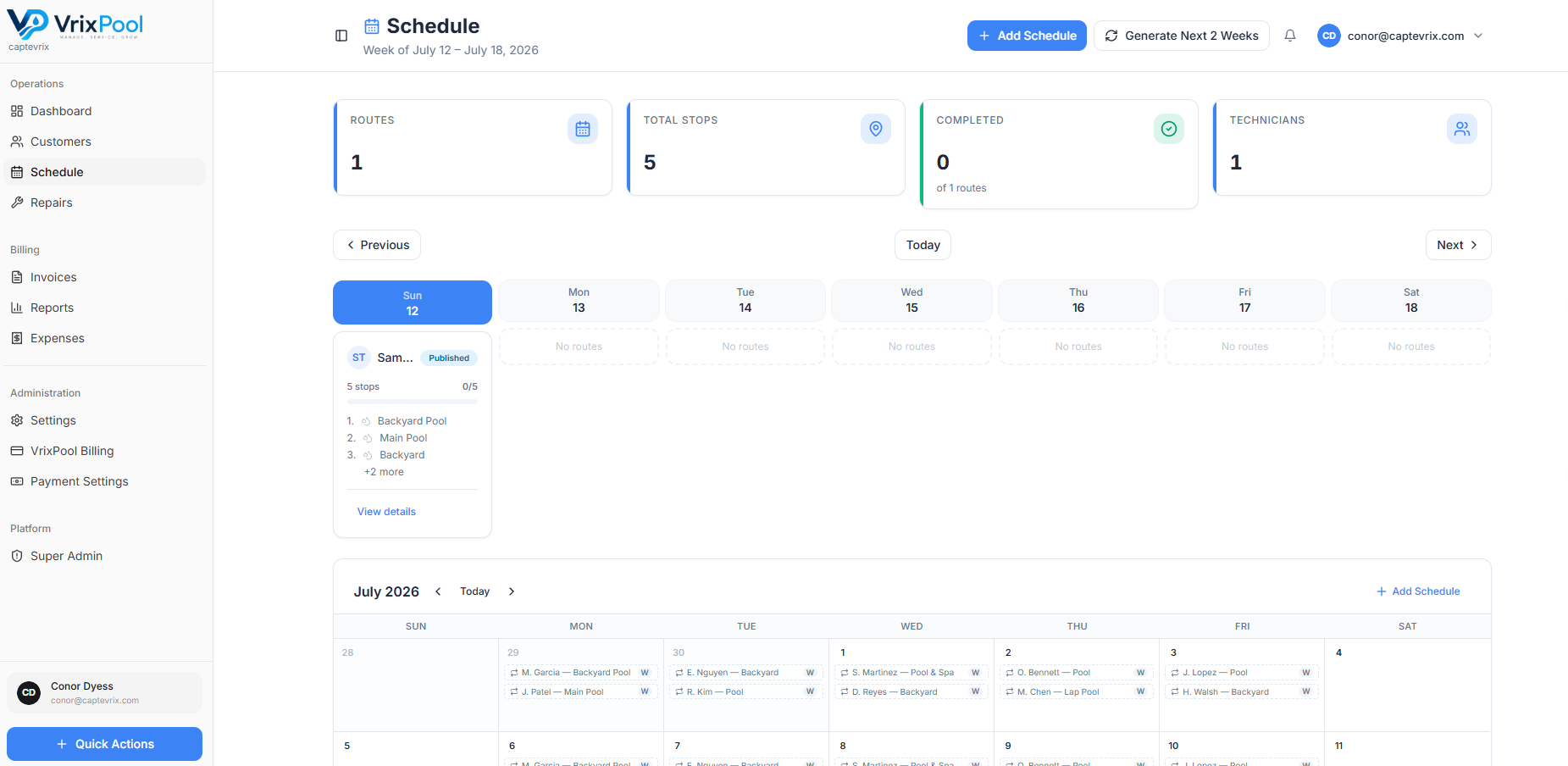
The route, in the order you run it
Open the schedule and see the stops assigned to you for the day, with the site and pool details attached to each one — no printed route sheet to lose in the truck.
- Assigned stops for the day
- Pool and equipment details at the site
- Notes from the office and from previous visits
Backup for the day a customer says you never came
A recorded visit with readings, actions, and photos is a better answer than remembering. It protects the tech as much as it protects the company.
Questions about this area
Related parts of the platform
Start using VrixPool today
Create your account and set up your first customers and routes. VrixPool is free to use — you only pay 0.5% on eligible transactions.
Free to use. No credit card required to create an account.