
From your first customer to your first paid invoice.
Five steps, one system. Here is what each stage actually looks like inside VrixPool.
Add customers & pools
Create customer records with service addresses, pool details, and equipment.
Build the schedule
Set recurring service days and assign technicians to routes.
Service the pool
Techs record arrival, readings, dosages, actions, notes, and photos.
Handle repairs
Report an issue, send an estimate, capture approval, and schedule the work.
Invoice & get paid
Send invoices, share payment links, and track what is outstanding.
See it the way your role would use it
Pick who you are and step through the screens you would actually touch — real product, no mockups.
You run the company
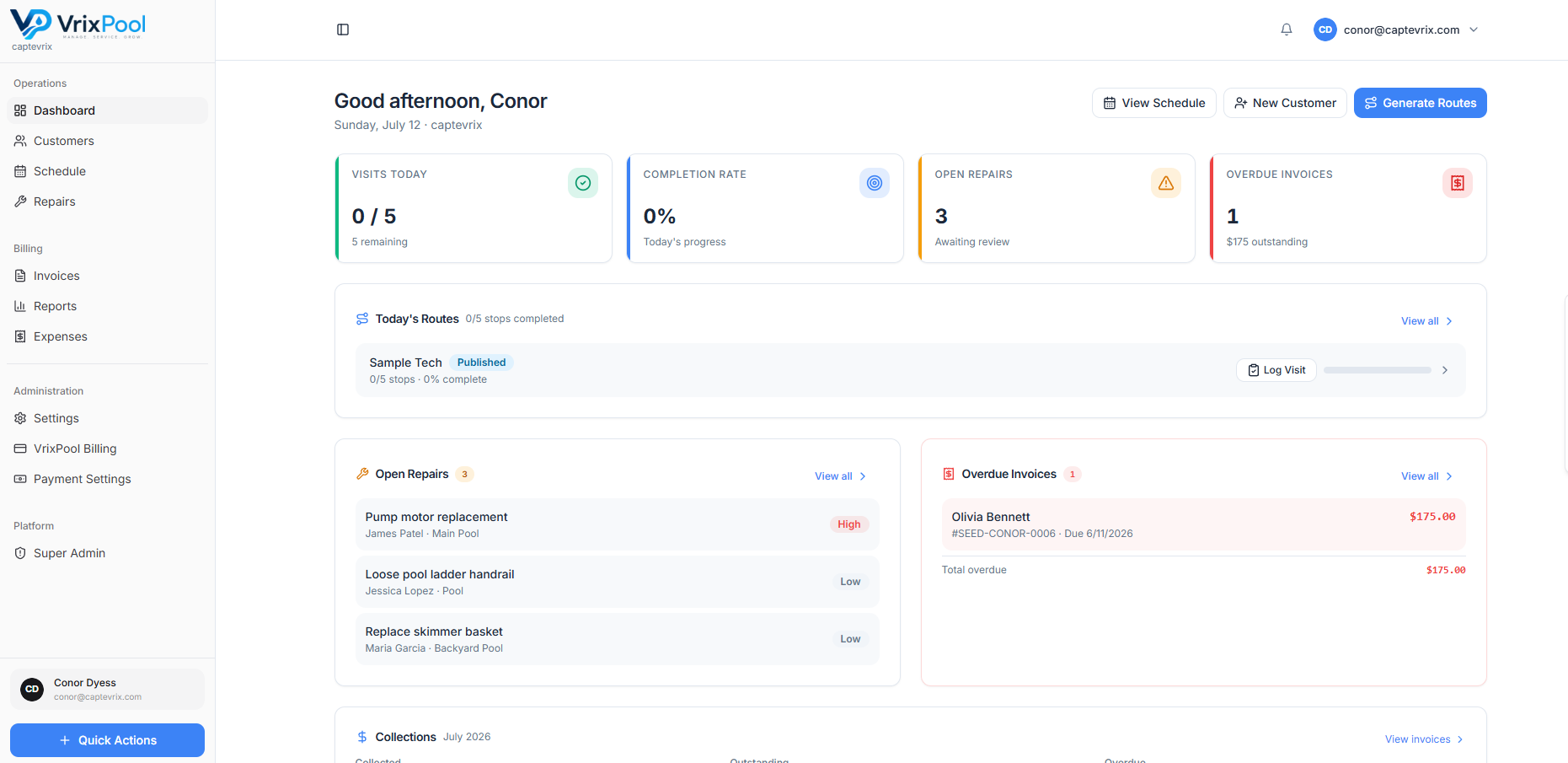
Start the day knowing what is scheduled, what is stuck, and what is unpaid — without calling three people to find out.
Step 1 of 4
Start with the day in one view
Route progress, open repairs, and overdue invoices are on the first screen, so the morning does not begin with phone calls.
- Today's visits and route progress
- Repairs waiting on approval
- Overdue invoices
Use ← and → to move through the steps.
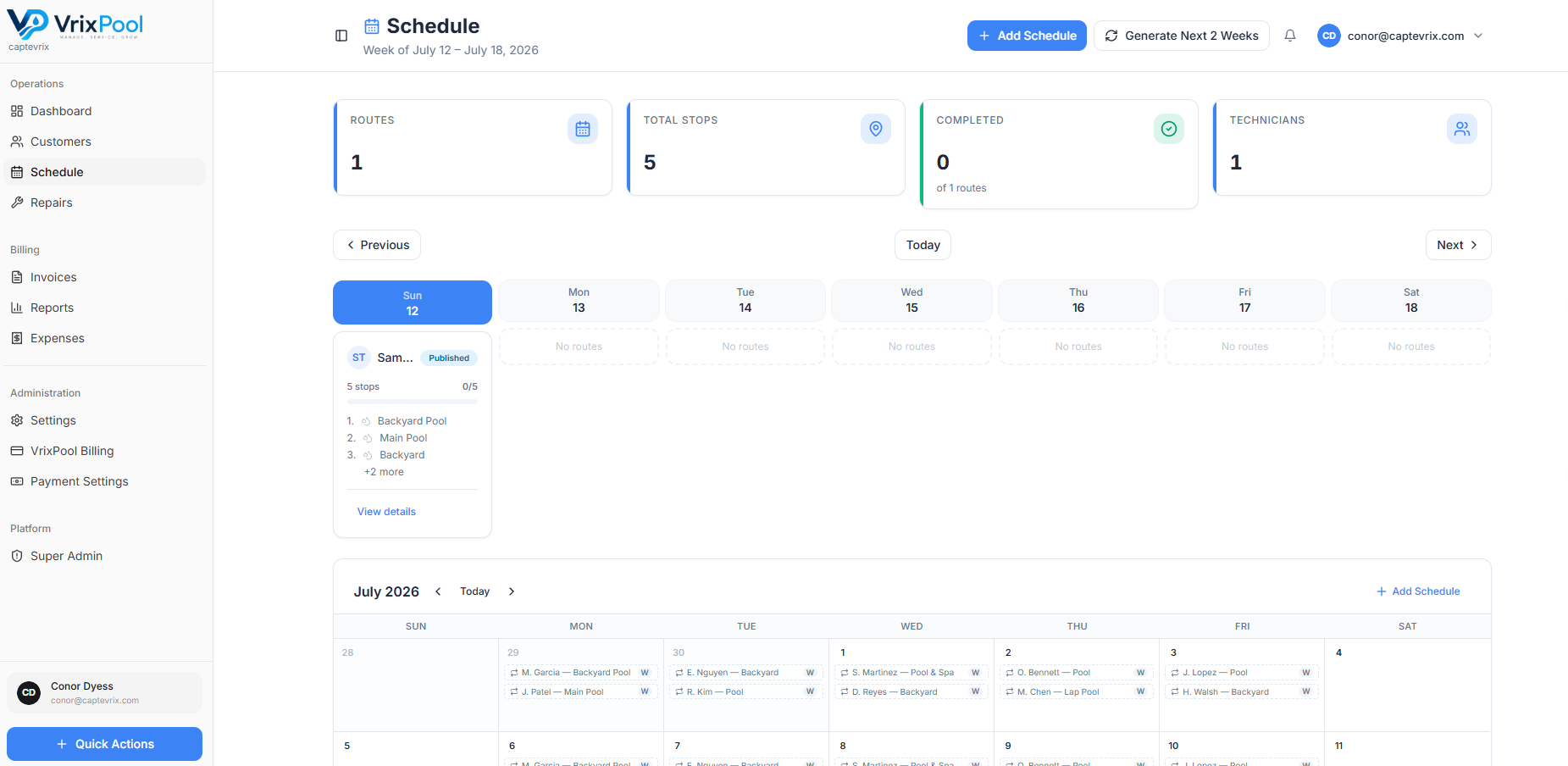
Step 1 & 2 — Customers, pools, and the schedule
Start with who you serve and where. Then turn those accounts into recurring service days with a technician assigned to each stop.
- Customer records with contacts and service addresses
- Pool and equipment details attached to the site
- Weekly, biweekly, and monthly recurring schedules
- Extra stops added without breaking the route
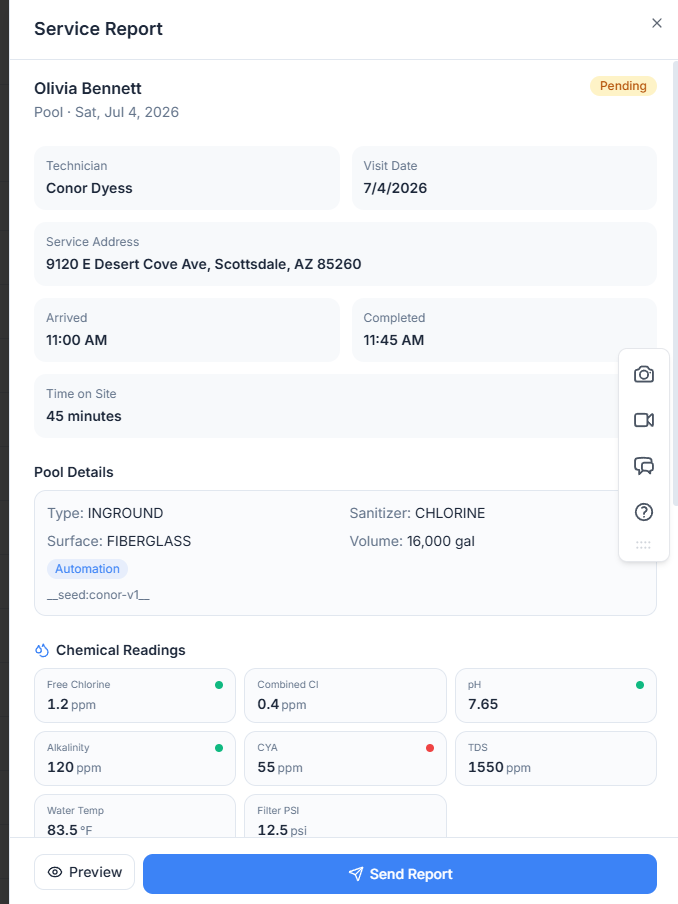
Step 3 — The visit becomes a record
Every stop produces the same structured record, which is what makes service history, customer answers, and training possible later.
- Arrival, completion, or a skipped stop with a reason
- Water chemistry readings and chemical dosages
- Service actions performed
- Notes and photos from the field
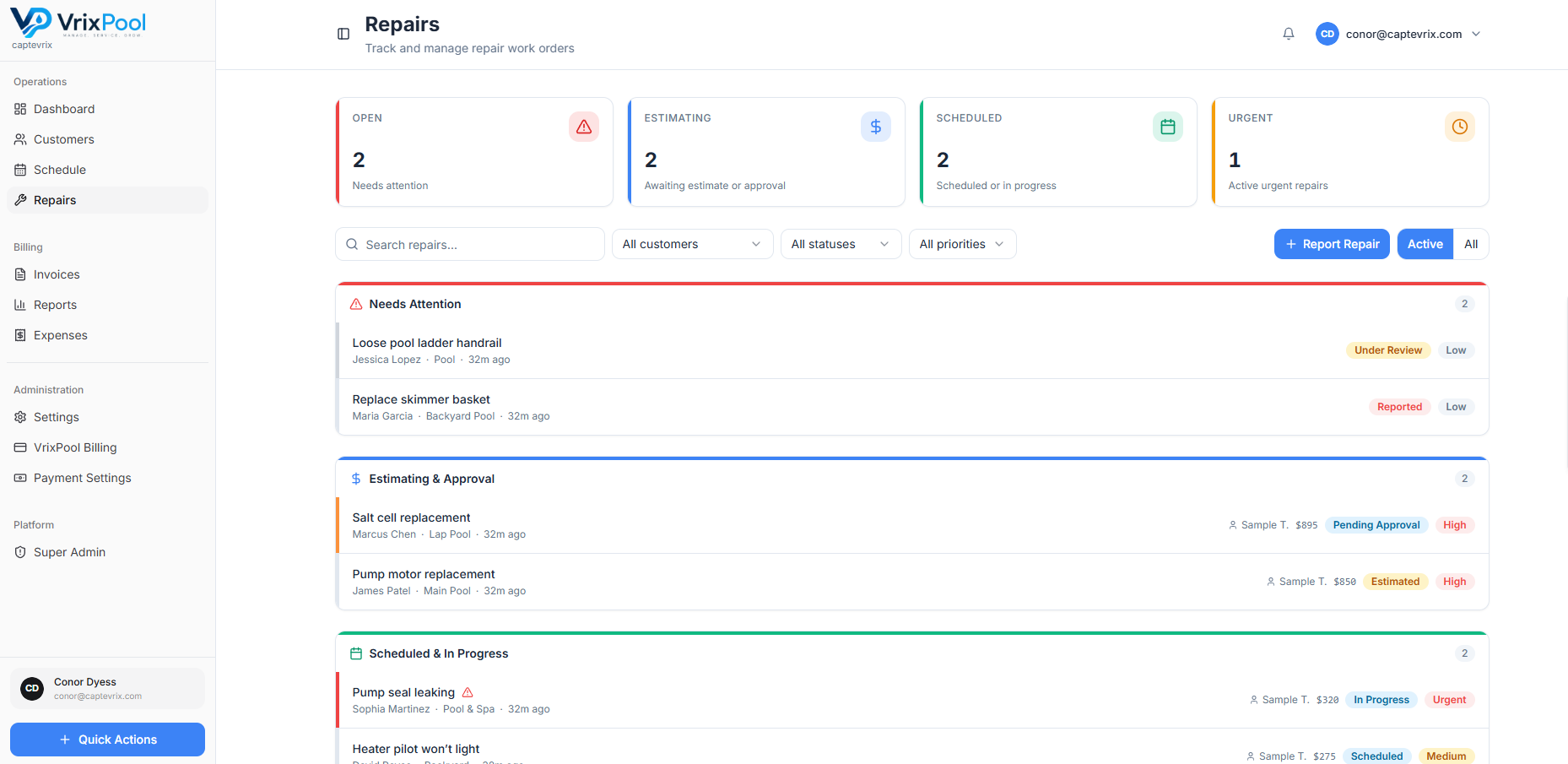
Step 4 & 5 — Repairs and getting paid
A problem found on a route becomes an estimate, an approval, scheduled work, and finally an invoice — without leaving the customer record.
- Repair work orders with photos and notes
- Line-item estimates and recorded approval
- One-time, service, repair, and recurring draft invoices
- Stripe-hosted checkout links and manual payment tracking
Walk through it with your own data
Create a free account and set up one route end to end. It is the fastest evaluation you can run.
Free to use. No credit card required to create an account.