
A clear route and a simple way to record the work.
Technicians see the stops assigned to them and record what happened: arrival and completion, skipped stops with a reason, notes, photos, water chemistry readings, chemical dosages, and service actions.
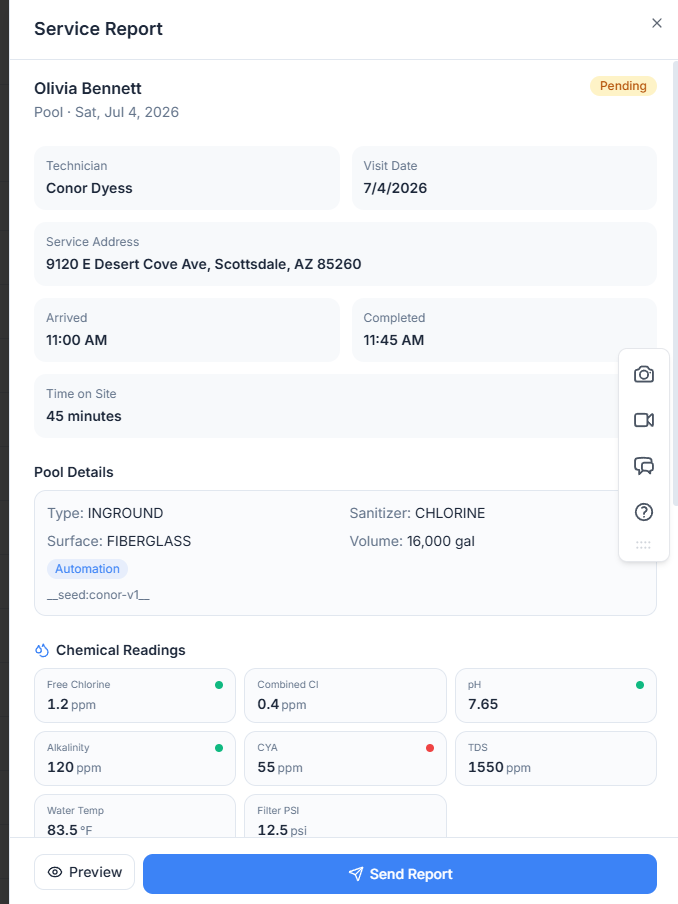
What a tech records on a stop
The same fields every time, so the record is consistent across your whole team.
- Arrival and completion of the visit
- Skipped stop with a reason
- Water chemistry readings and chemical dosages
- Service actions performed, notes, and photos
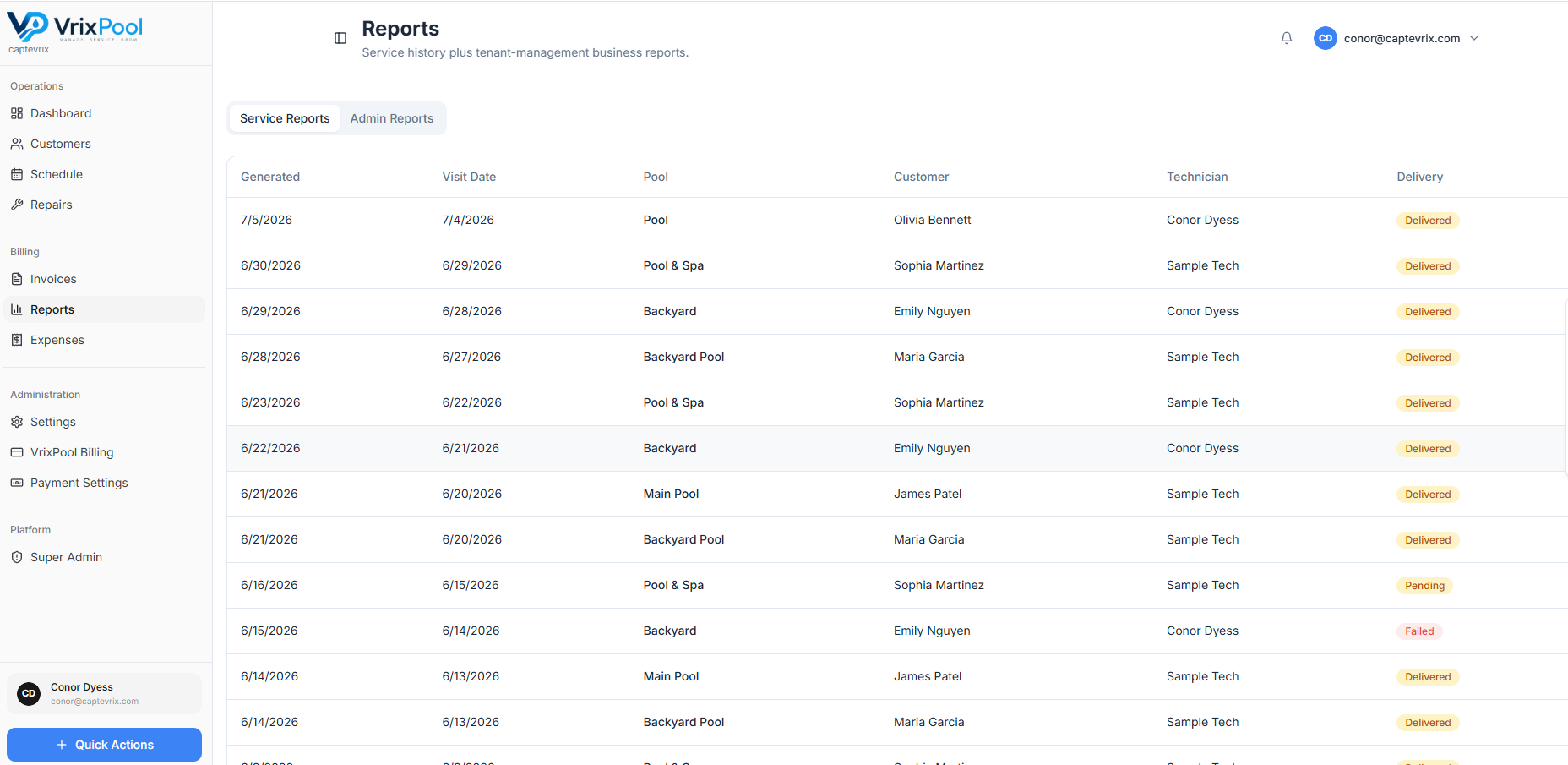
Work flows straight into billing and reporting
Completed visits build the customer's service history and feed the reports and invoices the office sends out — no re-typing.
A skipped stop is a record, not a mystery
Locked gate, dog in the yard, nobody home — the tech marks the stop skipped with a reason instead of leaving the office to guess why the route came up short.
- Skip reason captured at the stop
- Office sees it the same day on route progress
- The customer conversation starts with facts
Questions about this area
Related parts of the platform
Start using VrixPool today
Create your account and set up your first customers and routes. VrixPool is free to use — you only pay 0.5% on eligible transactions.
Free to use. No credit card required to create an account.