
Business Insights
See how the business is actually doing.
Admin reports and expense tracking give owners a view of the operation that does not depend on someone building a spreadsheet.
app.vrixpool.com / reports
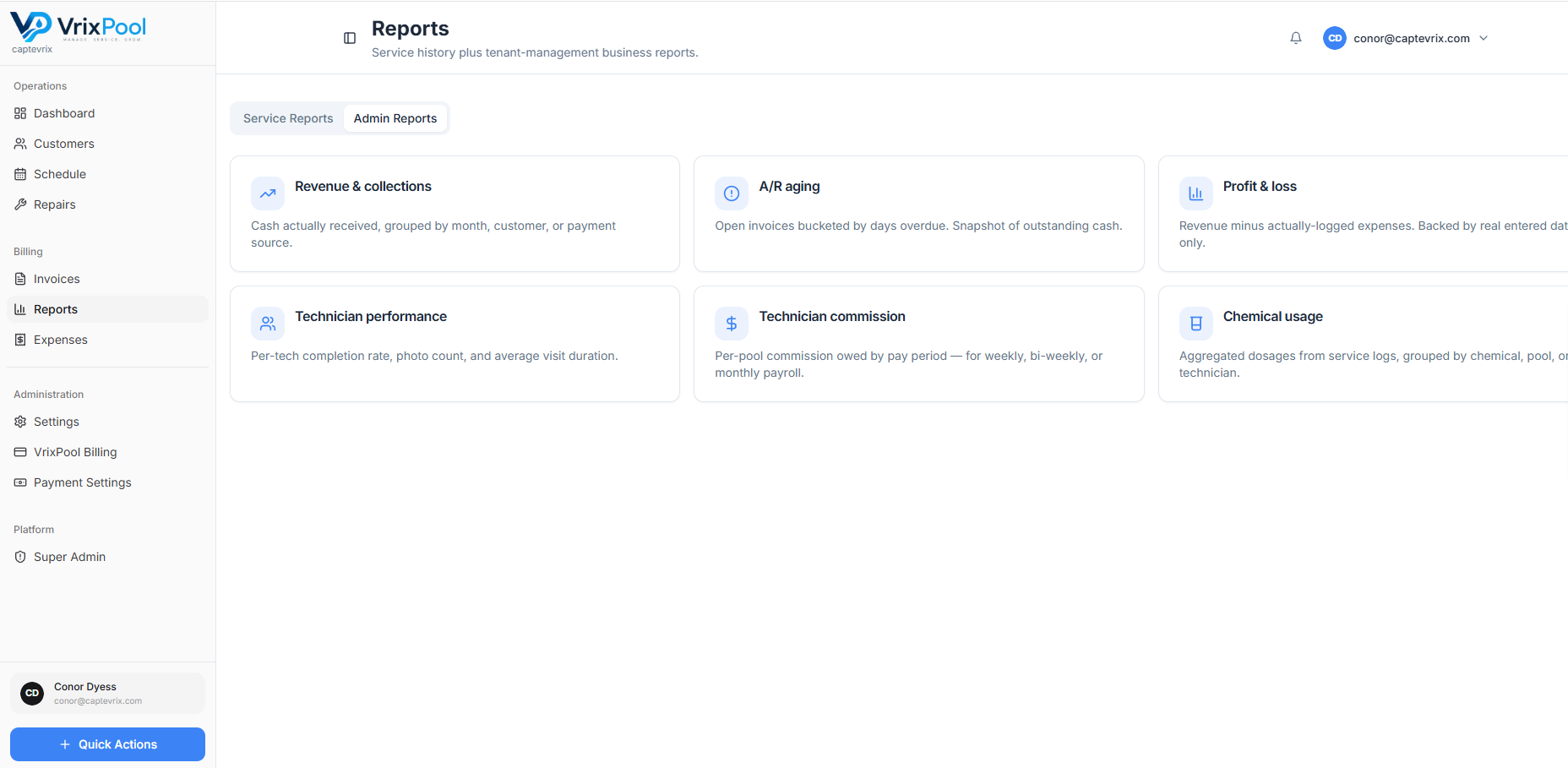
Reporting that comes from the work, not a spreadsheet
Because visits, repairs, invoices, and expenses are all recorded in the same system, reporting is a view of what already happened instead of a monthly data-entry project.
- Operational reporting on visits and route activity
- Financial reporting on invoiced and collected work
- Recorded expenses alongside revenue
- One source everyone is reading from
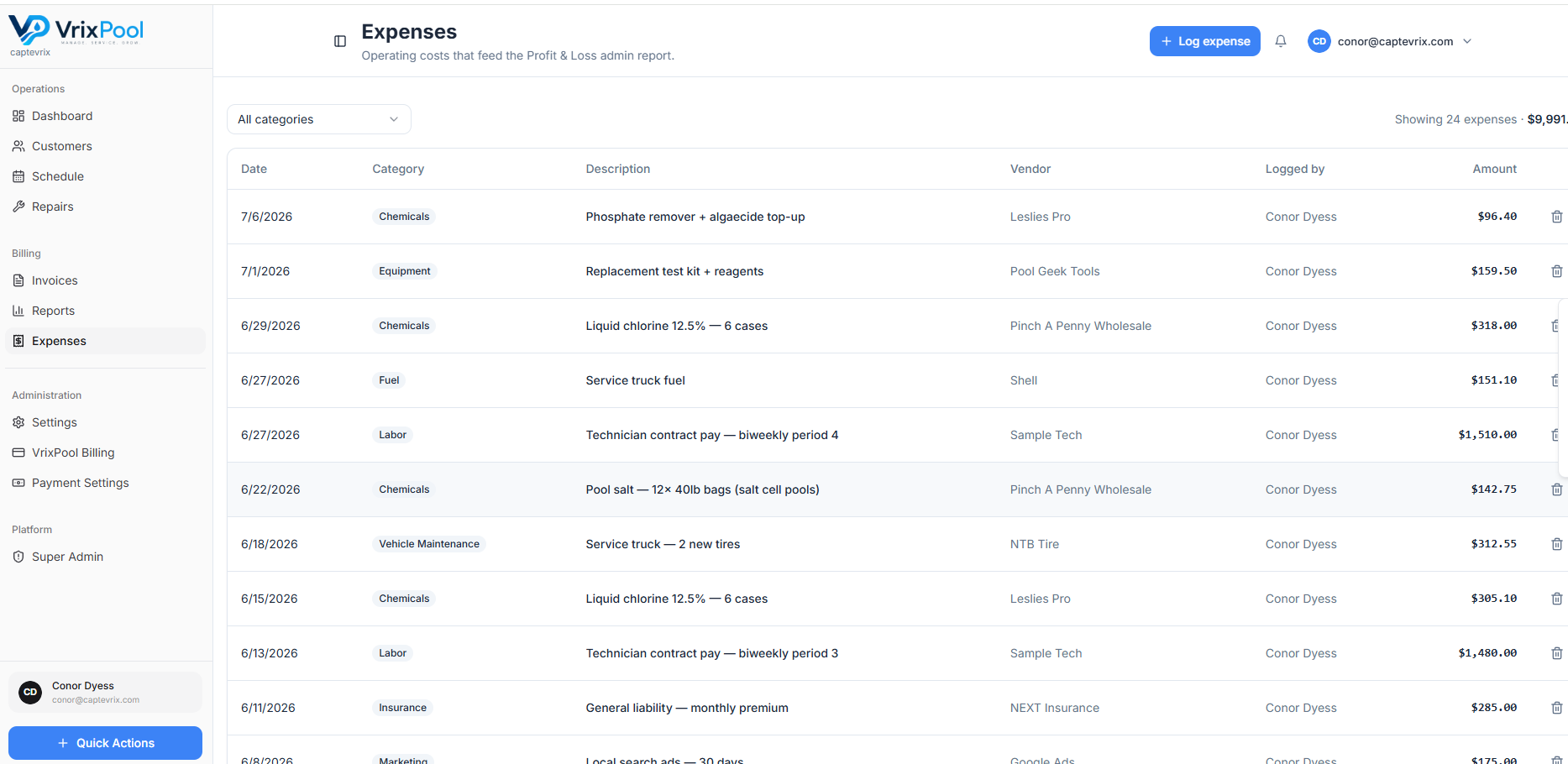
Track what you spend, not just what you bill
Record expenses alongside the revenue side so the picture is complete.
app.vrixpool.com / expenses
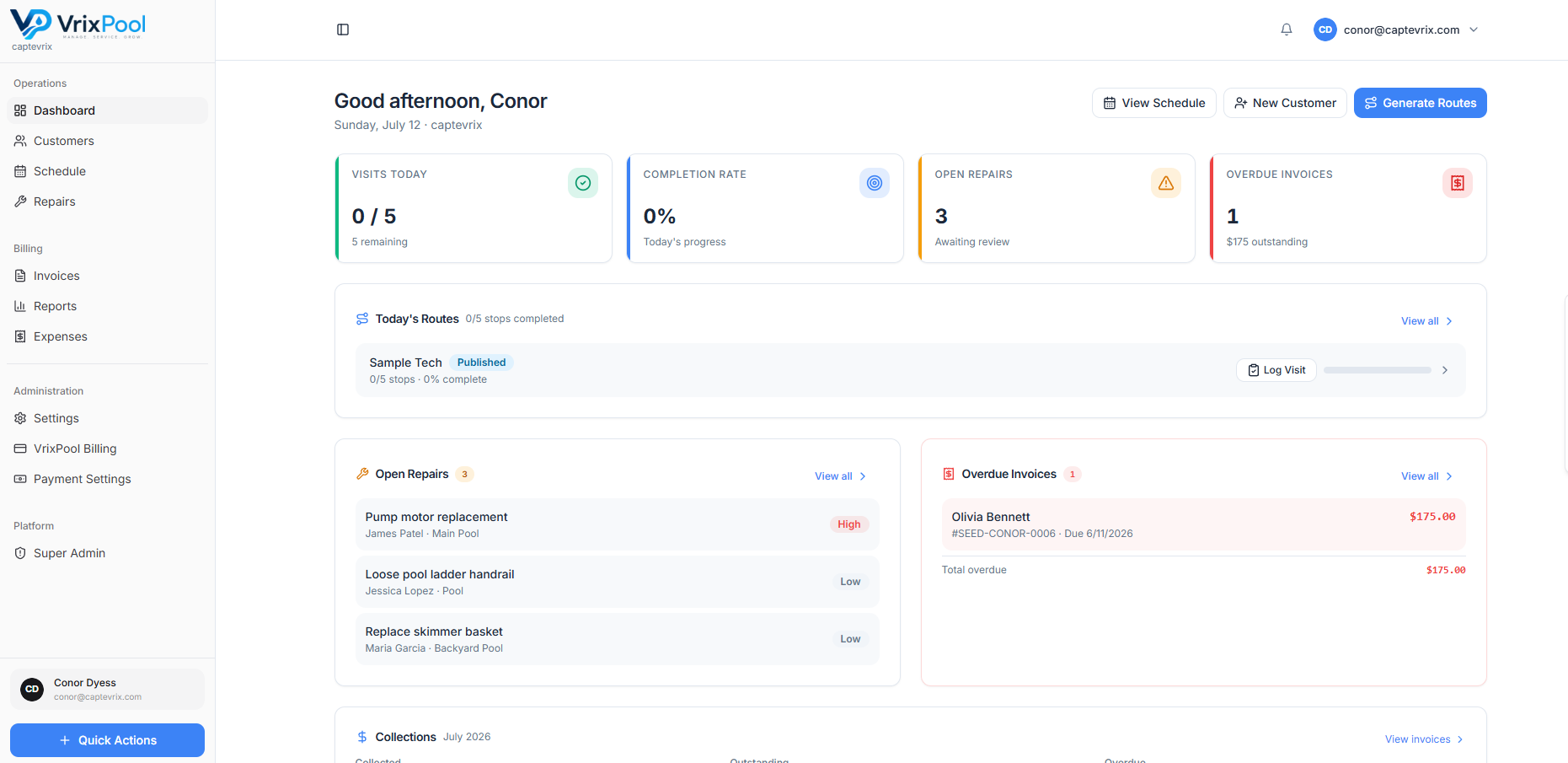
The daily view for the questions that cannot wait
Long-range reporting is for planning. The dashboard is for right now — what is done, what is stuck, and who owes you money.
app.vrixpool.com / dashboard
FAQ
Questions about this area
Explore
Related parts of the platform
Start using VrixPool today
Create your account and set up your first customers and routes. VrixPool is free to use — you only pay 0.5% on eligible transactions.
Free to use. No credit card required to create an account.